NADRA CNIC Correction Process in Pakistan 2026: Complete Guide to Update Your Identity Card Information
Your Computerized National Identity Card, also known as a CNIC, is one of the most important documents in Pakistan. It is required for banking, education, employment, property transactions, passport applications, mobile SIM registration, and many government services.
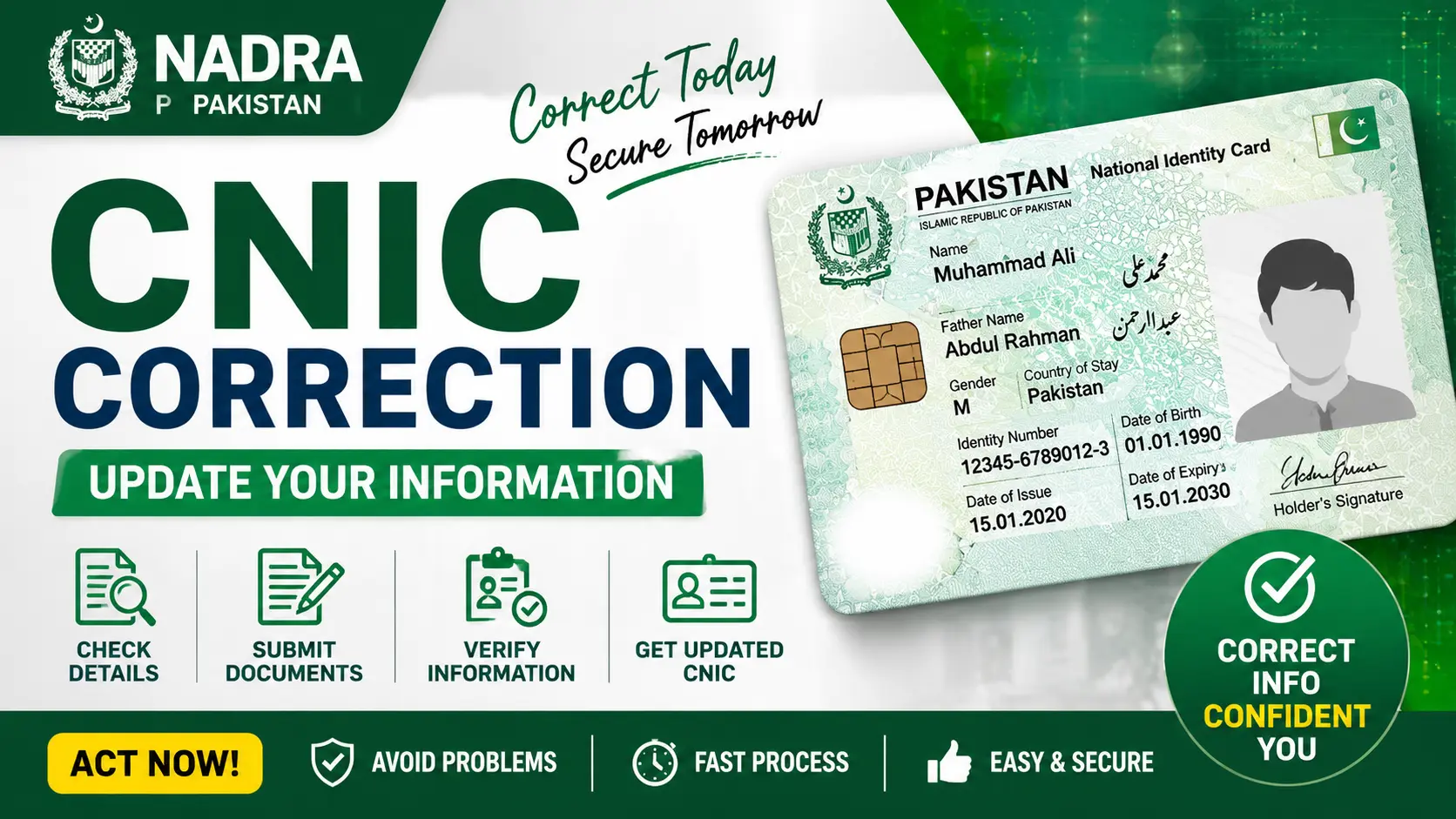
Sometimes, mistakes can appear on a CNIC. These errors may include a wrong name, incorrect date of birth, spelling mistakes, inaccurate family details, or an outdated address. In such situations, the National Database and Registration Authority (NADRA) allows citizens to correct their information through a simple process.
This guide explains everything you need to know about the NADRA CNIC correction process in easy English.
What Is NADRA?
NADRA stands for the National Database and Registration Authority. It is the government organization responsible for maintaining the national identity database of Pakistan.

NADRA issues important documents such as:
- Computerized National Identity Cards
- Smart National Identity Cards
- Family Registration Certificates
- Juvenile Cards
- National Identity Cards for Overseas Pakistanis
The organization also provides services for updating and correcting personal information.
Why Is CNIC Correction Important?
Incorrect information on your CNIC can create serious problems.

You may face difficulties while:
- Opening a bank account
- Applying for a passport
- Registering a mobile SIM
- Receiving government benefits
- Applying for jobs
- Buying or selling property
- Traveling internationally
To avoid these issues, you should update your CNIC information as soon as you notice any error.
What Information Can Be Corrected on a CNIC?
NADRA allows citizens to update or correct several types of information.
Personal Information Corrections
You can request changes for:
- Full name
- Father’s or mother’s name
- Husband’s name
- Date of birth
- Gender
- Marital status
- Religion
Contact Information Updates
You can also update:
- Permanent address
- Present address
- Mobile number
- Email address
Family Record Corrections
Citizens can request updates for:
- Spouse details
- Children’s information
- Family tree records
Common Reasons for CNIC Corrections
Many people visit NADRA offices because of common errors such as:
- Spelling mistakes in names
- Incorrect date of birth
- Missing family members in the family tree
- Wrong address information
- Changes after marriage
- Errors during initial registration
- Updating information after legal changes
Required Documents for CNIC Correction
The documents required depend on the type of correction you need.
Here are some commonly requested documents.
For Name Correction
- Existing CNIC
- Matriculation certificate
- Birth certificate
- Passport, if available
For Date of Birth Correction
- Birth certificate issued by the Union Council
- Educational certificates
- Passport
- Medical records, if required
For Address Change
- Utility bill
- Rent agreement
- Property documents
- Proof of residence
For Marital Status Update
- Marriage certificate
- Spouse’s CNIC copy
For Family Record Updates
- Birth certificates of children
- Parents’ CNIC copies
- Family Registration Certificate
Always carry original documents along with photocopies when visiting a NADRA center.
How to Correct CNIC Information Through NADRA
NADRA provides multiple ways to update your information.
Visit a NADRA Registration Center
The most common method is visiting a nearby NADRA Registration Center.
Follow these steps:
- Visit the nearest NADRA office.
- Obtain a token number.
- Wait for your turn.
- Explain the correction you need.
- Submit the required documents.
- Verify your biometric information.
- Review your updated details carefully.
- Pay the required fee.
- Collect the receipt and tracking number.
After processing, your updated CNIC will be delivered according to the selected service category.
Apply Through the Pak Identity Portal
Many corrections can also be requested online through the Pak Identity system.
Follow these steps:
- Create an account on the Pak Identity portal.
- Log in using your credentials.
- Select the CNIC modification option.
- Upload scanned copies of required documents.
- Complete biometric verification.
- Pay the fee online.
- Submit your application.
This option is especially useful for overseas Pakistanis.
NADRA CNIC Correction Fees in 2026
NADRA offers different processing categories.
These generally include:
Normal Service
- Lower fee
- Longer processing time
Urgent Service
- Medium fee
- Faster processing
Executive Service
- Higher fee
- Priority processing
The exact fee depends on the type of modification and service category selected.
Visit the official NADRA website or contact the nearest registration center for updated charges.
How Long Does CNIC Correction Take?
Processing time depends on the selected service category.
Estimated timelines are:
- Normal service: Around 30 days
- Urgent service: Around 15 days
- Executive service: Around 7 to 10 days
Delays may occur if additional verification is required.
How to Track Your CNIC Correction Status
After submitting your application, NADRA provides a tracking number.
You can check your application status through:
- The NADRA website
- Pak Identity portal
- SMS services, where available
- NADRA helpline
Keep your tracking number safe until you receive your updated CNIC.
Important Tips Before Submitting Your Application
To avoid delays or rejection, remember these important points:
- Double check all information before submission.
- Ensure documents are clear and valid.
- Carry original documents during office visits.
- Provide accurate contact information.
- Keep payment receipts safely.
- Review all changes carefully before biometric verification.
Even a small spelling error can create future problems, so always verify your information.
Frequently Asked Questions About CNIC Correction
Can I correct my CNIC online?
Yes, many corrections can be completed through the Pak Identity portal.
Do I need to visit a NADRA office for every correction?
Not always. Simple modifications can often be completed online, but complex cases may require a physical visit.
Can I change my date of birth multiple times?
NADRA applies strict rules for date of birth corrections. Supporting documents and verification are required.
What should I do if my family record is incorrect?
Visit a NADRA Registration Center with relevant documents such as birth certificates and CNIC copies of family members.
Can overseas Pakistanis update their CNIC information?
Yes, overseas Pakistanis can use the Pak Identity portal for many correction services.
Final Words
Your CNIC is the foundation of your legal identity in Pakistan. Incorrect information can create unnecessary complications in daily life and official matters.
If you notice any mistake on your CNIC, do not ignore it. Gather the required documents, choose the appropriate correction method, and complete the process as soon as possible.
NADRA has made the correction process easier through online services and registration centers across the country. Keeping your identity information accurate ensures smooth access to government and private services.
Disclaimer: This article is for informational purposes only. NADRA policies, fees, required documents, and processing times may change without prior notice. Always verify the latest information through official NADRA channels before submitting your application.